
Home / Free Bridges Webinars

Free Bridges Webinars
Scroll down to watch our past webinars on-demand - anytime, anywhere. All of Bridges webinars are presented in English unless noted in the description.
Subscribe to our newsletter to be the first to know about our upcoming events.
Upcoming Webinar
Coming Soon!
Accessing the Curriculum with Clicker
Date: Wednesday, December 10, 2025
Duration: 30mins
Presenter: Toni Caggiano-Carpenter
Join us for a 30-minute deep dive into how Clicker, Crick Software’s award-winning literacy support tool, empowers educators to deliver truly inclusive instruction. Whether you're new to Clicker or looking to deepen your understanding, this session will provide practical insights and inspiration.
What we’ll cover:
- What is Clicker? An overview of this powerful, student-centered writing solution.
- Clicker + LearningGrids - Explore how Clicker’s ready-made resources align with Universal Design for Learning (UDL) principles to support diverse learners.
- Implementation Ideas - Real-world examples and strategies to integrate Clicker into your classroom or district.
- Accessibility Features - Discover how Clicker removes barriers to learning with customizable supports.
Whether you're supporting emergent writers, multilingual learners, or students with specific learning disabilities, Clicker helps every learner with literacy goals.
Register Now
Exploring the Clicker Apps (iPad and Chromebook)
Date: Thursday, January 29, 2026
Duration: 30mins
Presenter: Toni Caggiano-Carpenter
In this 30-minute session, discover how Clicker’s suite of iPad and Chromebook apps—Clicker Writer, Clicker Books, and Clicker Talk—can transform literacy instruction for all learners.
We’ll cover:
- Core Features of Each App -- Get a guided tour of the key tools that support writing, reading, speaking and listening.
- Ready-Made Resources -- Explore content created by our curriculum team, ready to use and adapt.
- Scaffolding & Differentiation -- Learn how to quickly customize Clicker Sets to meet individual learning needs.
- UDL-Aligned Design -- See how each app supports Universal Design for Learning with flexible, student-centered tools.
- Cross-Platform Compatibility -- Use Clicker seamlessly across iPads and Chromebooks for consistent support in any setting.
Perfect for educators looking to boost engagement, accessibility, and outcomes in literacy instruction.
Register Now
Latest Webinar
Smart, Simple, Seamless: Discover PODD for Mind Express
Date: Thursday, November 13, 2025
Duration: 45mins
Presenter: Dr. Kathy Look Howery & Fio Quinn
Join us for an engaging introduction to PODD (Pragmatic Organisation Dynamic Display) within Mind Express, the powerful AAC software from Jabbla.
This session will demonstrate how official and most updated PODD resources (PODD books and versions for SGD) are fully integrated into Mind Express—making communication more natural, efficient, and accessible for users with complex communication needs.
You’ll discover how Mind Express brings PODD to life through:
- Ready-to-use official PODD page sets for all ages
- Full support for direct or alternative access
- Smart navigation, simple setup and quick customization tools
- Editing and partner support features
Whether you’re new to PODD or already supporting AAC users, this 30-minute introductory webinar will help you understand why Mind Express and PODD are a perfect match for effective, accessible communication.
All attendees can get a certificate of completion and enter a draw for a give away of a one-year Mind Express 5 license.

Watch our past webinars on-demand - anytime, anywhere.
Alternate Access
Bien positionné pour mieux communiquer – Partie 2 : Systèmes de montage pour tablettes et contrôle oculaire
Date: Wednesday, November 12, 2025
Duration: 45mins
Presenter: Emily Anctil-Lamarre
Poursuivez votre exploration du positionnement en CAA avec cette deuxième partie de notre série. Ce webinaire se concentre sur les systèmes de montage pour tablettes, avec ou sans contrôle oculaire, et explorera les critères essentiels pour choisir la solution la mieux adaptée à chaque utilisateur.
Nous présenterons les produits de Rehadapt, Daessy et Modular Hose, et partagerons des conseils pratiques pour assurer un montage stable, ergonomique et sécuritaire.
From Gaze to Growth: Empowering Learning with EyeLearn
Date: Thursday, November 6, 2025
Duration: 45mins
Presenter: Lily Daquila
Step into a transformative learning experience with Bridges’ EyeLearn system, an innovative eye gaze solution that turns any Windows computer into a dynamic, inclusive educational tool. Whether you're an educator, clinician, guardian, or caregiver supporting students with complex learning needs, this webinar will showcase how EyeLearn empowers communication, encourages engagement, and promotes progress.
Join us as we explore how EyeLearn seamlessly integrates into classrooms, adapts to a wide range of physical and cognitive abilities, and offers powerful tools to assess, monitor, and celebrate student growth. We will also highlight new apps and activities designed to help an eye gaze user develop and hone skills. This session is your gateway to unlocking new possibilities in accessible education.
Bien positionné pour mieux communiquer : Introduction aux systèmes de montage pour la CAA
Date: Wednesday, October 15, 2025
Duration: 45mins
Presenter: Emily Anctil-Lamarre
Rejoignez-nous pour un webinaire en français spécialement conçu pour ceux qui accompagnent des personnes utilisant la communication alternative et améliorée (CAA).
Découvrez les systèmes de montage légers disponibles chez Bridges Canada et apprenez les principes essentiels pour choisir la solution la mieux adaptée aux besoins de vos clients.
Nous vous guiderons également, étape par étape, dans l’assemblage de certains systèmes de montage et nous vous présenterons différents produits tels que :
- Modular Hose, séries Mogo et Loc-Line
- Rehadapt Magic Arm, Magnitude, Flex et L3D
- Daessy Lite Mount
- Cling
Ce webinaire vous offrira des outils pratiques pour optimiser le positionnement, favoriser l’autonomie et soutenir une communication efficace.
Watch RecordingExploring AI Tools in the Grid
Duration: 45mins
Presenter: Melanie Gylling
Artificial intelligence (AI) has the potential to deliver new levels of connection, expression and productivity for individuals who use augmentative and alternative communication (AAC) technologies. However, innovation should always be done mindfully and responsibly.
Join us as Melanie from Smartbox explores the latest advancements being integrated into Grid AAC software, emphasizing inclusive design, co-design with AAC users, and Smartbox's core AI ethics principles such as transparency, data privacy, and ongoing responsibility.
Attendees will learn how these new tools can benefit AAC users and how Smartbox’s user-centered approach sets a blueprint for responsible AI adoption.
Melanie Gylling MA, CCC-SLP
Smartbox Inc.
Melanie is an ASHA certified Speech-Language Pathologist with extensive experience working in a variety of settings including outpatient rehabilitation, schools, and long-term care facilities. She is passionate about AAC and providing education and support to SGD users and their support teams. Melanie is the Director of Clinical Education for Smartbox Inc., the developers of Grid 3 software and speech generating devices.
Duration: 45 mins
Presenter: Nada Jorna, Bogdan Pospielovsky
Eye gaze can deliver access and engagement for students with the most profound and complex challenges. See how the latest updates to Bridge’s EyeLearn, the eyegaze system built for schools, with new eye tracking technology, is changing the lives of students. In this presentation you’ll see:
- New Look Lab software: super engaging eye gaze activity with 38 fun accessible games and creative activities, including music making. For users of any age but particularly for teens and older students, looking to build and hone their access skills and independence.
- EyeLearn adapting on the fly to different students with a wide range of abilities
- Example students who’s EyeLearn systems have had profound effect on their learning
- How you too can gain profound new insights into the potential of students with complex communication and cognitive challenges
Presenter: Kim Mitchell
Duration: 25 mins
Powerful classroom participation for children with complex and profound physical and cognitive challenges is possible with simple light tech.
Join expert trainer and classroom accessibility ninja, Kim Mitchell as she shares THOUSANDS of ideas (...well maybe not thousands. Bridges Breaks are just 20 minutes… Let’s just say A LOT) for your classroom with a Powerlink, All Turn It Spinner and switch adapted toys.
- water plants
- make confetti
- play games
- cooking
- cleaning
She’ll show you how easy it is to adapt your own toys and what to look for in choosing toys for switch use, making common classroom tasks switch accessible so everyone can participate.
Watch recodingControlling PC’s, Chromebooks, iPads, toys, even plug-in appliances with a switch is a lot easier than you think. Join AT specialist Kim Mitchell as she shows you how switch interfaces can maximize the power of switches.
See the Switch Click, Crick interface, Hitch, Blue 2, Tapio and more and come away empowered to make good decisions about how to connect a switch.
Presenter: Kim Mitchell
Duration: 22 minutes
Connect with the world and make learning real with the mighty switch! Join us as AT specialist Kim Mitchell uncovers the amazing, underappreciated power of switches. You’ll see a variety of different switches for the classroom in action – no profile, waterproof/freeze proof, proximity and wireless – to run toys, communication devices, iPads, computers and more.
Plus tips and tricks, trouble shooting and even playing X-box games with 6 switches all in 22 minutes!
Presenter: Kim Mitchell
Duration: 22 minutes
Need to mount an iPad on a classroom table or desk?
Want to secure a switch for access from a wheelchair or on a student tray?
Join us for this series of Bridges Break’s to learn more about easy to implement, flexible, off-the-shelf mounting solutions ideal for busy classrooms. The right mount delivers positioning, stability and visibility that’s critical for successful communication and access. Whether you need a mobile solution for different students, or something for short periods for skill building, or a combination, we’ll sort through arms, clamps and plates so you can choose the best option for your classroom.
Presenter: Claire Zeijdel
Duration: 22 minutes
Early Learning
Duration: 25 mins
Presenter: Kim Mitchell
For years HelpKidzLearn has been teachers’ and parents’ goto for accessible game-based learning.
Enabling children of all abilities to play, develop and achieve, the subscription site has dozens of fun switch, touch and eye gaze ready activities.
Join Kim on a tour of the NEW, enhanced HKL:
- 200 plus games and activities
- NEW Inclusive stories backed by a wealth of support materials
- Assessment materials/forms
- Symbols to support AAC
- Cross Curricular ideas
- Printable crafts, flashcard, colouring pages and more
- New license management hub
Join us for a free webinar to learn about the exciting new version of ChooseIt Maker. The newly updated version for 2021 has a new and streamlined editor and allows for easy creation of activities that are relevant and inclusive for all learners.
Turn photographs, symbols, text and sounds into:
- Engaging cause and effect activities
- Helpful question and answer activities
- Fun-filled games
- Simple quizzes and more...
Duration: 60 mins
Presenter: Kim Mitchell
Duration: 53 mins
Presenter: Ian Loughlin, Inclusive Technology
Join us to dive into the latest innovations and enhancements to HelpKidzLearn by Inclusive. In addition to wealth of recent new content, HKL, the go-to site for accessible, engaging learning for children with complex instructional needs – is adding groundbreaking tools and features:
- Personalized Playlists: organized and structured learning experiences tailored to specific goals or themes.
- User Analytics: data-driven insights empowering educators with valuable information to track progress and adapt strategies effectively.
- HKL Hub: a one-stop destination for seamless navigation and access to a wide range of educational resources and games.
- Profiles: customizable, personalized learning allowing educators and parents to tailor activities to each child's unique needs and preferences.
- New Website: revamped with a user-friendly interface and enhanced functionality for smoother interaction and exploration.
- And MORE!
Presented by Inclusive's Ian Loughlin, don't miss out on this opportunity to discover how HelpKidzLearn can elevate the learning journey for children with diverse and complex needs.
Watch RecordingIan Loughlin
Information Manager | Inclusive Technology
Ian is the Information Manager at Inclusive Technology the developer of HelpKidzLearn. Ian has over 19 years supporting technology in education and ten years at Inclusive Technology, he has developed specialized knowledge in assistive technology, particularly eye gaze and iPad switch access.
He supplies product information for the very latest assistive technology hardware and software and has presented at various conferences and exhibitions throughout the UK and abroad.
Duration: 40 mins
Presenter: Bogdan Pospielovsky
Engaging accessible activities can stimulate learning even for our most difficult to reach students. Technologies with easy, innovative and flexible accessibility options are key – eliminating barriers can generate profound learning experiences through fun and play.
We’ll look at:
- Cosmo
- HelpKidzLearn
- Light tech and accessible sensory environments
- LookLab
Motivating, engaging activities, but generating the data necessary to allow educators to build on engagement for real learning.
Watch RecordingLiteracy
Clicker
We’ve explored Clicker Writer, as a support for emergent and early conventional writers who access curricular activities on a Chromebook or iPad.
Now Clicker Books and Clicker Talk are available as part of your Clicker license.
Join us to explore the reading, writing, listening and speaking activities that the new additions to this suite of Clicker apps deliver.
In Clicker books, we’ll demonstrate ready-made and customizable books for read-aloud and silent reading, as well as how to create your own books from scratch.
Finally, we’ll explore Talk templates for vocabulary development, sequencing of ideas or events, pre-writing oral brainstorming and development of presentation skills. And just like with Clicker Writer all files can be easily shared from teacher to student.
Duration: 25 mins
Presenter: Susie Blackstien-Adler
Presenter: Susie Blackstien-Adler
Duration: 22 minutes
Meet Clicker Writer
New to Clicker Writer? See how you can make writing tasks fun and accessible for every learner with this series of 3 succinct webinars featuring the child-friendly word processor for iPads and Chromebooks.
In 22 minutes, get a tour of the interface, writing grids that can be created by teachers (and students too), and customization for a wide range of learning and access needs. Plus tonnes of ready-made free activities.
Clicker Writer Templates: Sentence sets, Connect sets and Word Banks
Part 2 of our series on Clicker Writer, join us for 22 minutes to see how to create activities with templates that scaffold literacy instruction for emergent to early conventional writers: Sentence Sets, Connect Sets and Word Banks. Plus a peek at creating and editing grids including ones for curricular content areas.
Watch RecordingClicker Writer Analyze This!
Sharing Docs and Using Data
Third in our series, join us to experience how easy it is to create and share grids in Clicker Writer with students: through One Drive or Google Drive. See Clicker Writer’s virtuous cycle of sharing; when student share back, powerful analytics are engaged, tracking supports used and student progress so teachers can fine tune literacy instruction.
Watch RecordingPrésentatrice: Emily Anctil-Lamarre
Découvrez comment les outils inclusifs de lecture et d'écriture de Clicker permettent à chaque enfant de surmonter les obstacles à l'acquisition de la littératie. Lors de cette session Bridges Break, Emily démontrera comment Clicker facilite la création de supports pédagogiques personnalisés pour tous les apprenants, simplifiant la planification, l’écriture et la révision, quel que soit le défi d’apprentissage.
Ce que vous apprendrez :
- Aidez les jeunes écrivains à s’épanouir en construisant des phrases pas à pas grâce aux ensembles Clicker, aux banques de mots et aux cartes mentales.
- Favorisez la compréhension et enrichissez le vocabulaire avec des supports visuels et symboliques.
- Renforcez la confiance en révision avec des outils comme le retour vocal, le correcteur orthographique vocalisé et le prédicteur de mots.
- Améliorez les compétences en expression orale, en écoute et en lecture grâce à des contenus accessibles à tous.
- Obtenez des analyses précises et suivez même l’utilisation de l’application Clicker.
Avec son design neutre en termes d’âge et ses options d’accessibilité complètes (incluant le contrôle par contacteurs et par suivi oculaire), Clicker offre une solution idéale pour les élèves confrontés à divers défis, tels que les troubles cognitifs ou développementaux, les problèmes sensoriels ou l’autisme.
Rejoignez-nous pour découvrir comment Clicker peut transformer l’apprentissage de la littératie pour chaque enfant !
Presenter: Iain Wallace
Clicker’s inclusive reading and writing tools enable every child to overcome barriers to literacy.
In this Bridges Break, Iain will show how Clicker makes it easier than ever to create personalized literacy supports across the curriculum - from planning, to writing, to proofing -- regardless of learning challenges:
- Jump-start emergent writers: build sentences word-by-word, scaffolding with Word Banks and Mind maps.
- Support meaning and build vocabulary with picture and symbol support
- Build confidence in editing with speech feedback, talking spell checker and word predictor.
- Boost speaking, listening and reading skills through curriculum content accessible for all.
- With its age neutral presentation and a complete suite of accessibility options including switch and eye gaze, Clicker delivers a suite of supports ideal for a range of students with challenges, including cognitive/developmental, sensory issues and autism.
With its age neutral presentation and a complete suite of accessibility options including switch and eye gaze, Clicker delivers a suite of supports ideal for a range of students with challenges, including cognitive/developmental, sensory issues and autism.
Watch RecordingKurzweil 3000
Writing shouldn’t be a marathon. Sprint through essays, reports and all sorts of assignments with K3000 writing supports. From jot notes and research, to sentences, paragraphs and done – neat, quick, and stress free. In 20 minutes we’ll run through the organizational tools, templates, integration with cloud storage and MS Office that makes writing with K3000 so much easier and faster.
Duration: 25 mins
Presenter: Dina Jalali
For Chrome, Firefox, or Edge the K3000 web extension’s array of tools are what you need to read and study directly in your web browser and crush virtually all web text.
Learning management systems (LMS) -- D2L, Moodle, Canvas – are no match for K3000’s Read the Web feature. Join us and in 20 minutes we’ll show you how to take on any web text and win.
Duration: 25 mins
Presenter: Dina Jalali
Inaccessible text can feel like putting a classroom on top of Mount Everest. K3000 is your elevator up Everest.
In 20 minutes we’ll show you how K3000 delivers the power to a student to conquer any format and make text accessible
- printed material with a phone
- a website
- digital text to Audio
And more! Join us to learn just how easy Kurzweil 3000 makes it.
Duration: 25 mins
Presenter: Dina Jalali
Duration: 20 mins
Presenter: Dina Jalali
K3000 test taking tools ensure testing integrity while giving students the access they need for effective, hassle-free response. In 20 minutes we’ll show how with Kurzweil you can:
- lock down test documents
- lock out students from specific tools
- plus study tools for effective test taking.
Readtopia
From Data to Celebration: Documenting Literacy Success in Readtopia
Duration: 45 mins
Presenters: Marci Butler, B.S.Ed, Building Wings
How do you show meaningful progress for learners with complex needs—especially those who do not use speech to communicate?
In this practical session, we’ll explore how Readtopia’s built-in assessment tools can help educators in Canadian classrooms collect data, track student growth, and share that progress with confidence.
- How to support progress, track growth and celebrate success—no matter how your students communicate
- How tools like the ELM, Student Placement Tool, Fluency Passages, Learning Letters, Reader Attitude Survey, and Lesson Participation Rubric can support ongoing data collection
- Strategies for assessing students who communicate non-verbally
- Why documenting growth is critical for all learners
- Ideas for using data not just to report—but to celebrate learning and fuel instructional decisions
Whether you're new to Readtopia or looking to deepen your assessment practice, this session will equip you with actionable insights to make student growth visible, year over year.
Watch Recording
Marci Butler, B.S.Ed
Building Wings
An educator who has the privilege of coaching other educators on implementing best practices of comprehensive literacy in their classrooms. She also has the additional perspective of parenting a Readtopia student.
Dive into Emergent Writing with ReadtopiaGO
Duration: 45 mins
Presenters:
Jan Pilling, Vicki Lamb
Discover how an elementary teacher and a Speech and Language Pathologist in Manitoba are helping young learners with complex learning challenges understand that writing is a powerful way to express ideas. Through ReadtopiaGO, a comprehensive literacy program, students engage with print daily, strengthening early literacy skills.
Discover how ReadtopiaGO supports emergent writing through:
- Modelled writing – Morning Message
- Shared writing – Predictable Chart Writing
- Independent writing
Learn the importance of providing all students with tools to write and communicate their ideas. See the exciting growth in both students and educators as they embrace these strategies. Don't miss this opportunity to enhance your approach to early literacy!
Watch RecordingJan Pilling
Speech Language Pathologist | Brandon School Division
Jan Pilling is a Speech Language Pathologist who has worked in the field for 30 years. She is passionate about working with students who have complex communication needs and who utilize augmentative/alternative communication (AAC) systems. She works in the Brandon School Division providing training and support in the areas of AAC and Assistive Technology.
Vicki Lamb
Resource Teacher | Brandon School Division
Vicki Lamb is a Resource Teacher in Brandon School Division. For the past 25 years, she has held a variety of teaching positions, including multi-age classrooms in grade 2-6, Reading Recovery, Numeracy Support, and Literacy Support. She is a strong advocate for inclusive classrooms where all students can learn and thrive.
Phonics for Non-Speaking Students: Readtopia’s Comprehensive Approach
Duration: 45 mins
Presenter: Marci Butler, B.S.Ed
How do you teach phonics to students who don’t use speech to communicate?
In this webinar, Marci Butler from Building Wings will explore how Readtopia and ReadtopiaGO approach phonics and alphabet instruction as part of a comprehensive literacy program.
Learn why all students need phonological awareness skills and how Readtopia’s research-based methods differ from traditional phonics instruction. Gain insights and strategies that empower non-speaking students with practical strategies that develop essential reading skills.
Marci Butler, B.S.Ed
Building Wings
An educator who has the privilege of coaching other educators on implementing best practices of comprehensive literacy in their classrooms. She also has the additional perspective of parenting a Readtopia student.
Presenter: Christy McDonald
Duration: 25 mins
Educators understand that all students require a safe, inclusive, and engaging learning environment to succeed. Those with complex learning challenges must have access to the instruction, materials and tools they need to access the same learning opportunities as their peers.
Join us to learn about how Readtopia, the comprehensive literacy program for students with complex learning needs, supports equity, diversity and inclusion for ALL students.
Learn about:
- the wide range of topics that are included in Readtopia to engage and empower all learners
- the student materials that were carefully designed to meet the widest range of student needs
- how learning resources have been developed so students see themselves represented in different ways
- the strategies and supports provided for educators
Don’t miss out on learning how you can ensure that your students with diverse learning abilities have the opportunities to reach new heights in their learning.
Watch recordingShared Reading is a key component of comprehensive literacy instruction for emergent learners, helping build confidence, comprehension, and a love of reading with social interaction.In this webinar, we’ll explore:
- What shared reading is and why it’s so impactful for literacy development.
- How Readtopia and Readtopia GO provide ready-to-use lessons and engaging content to make shared reading a seamless daily routine.
- Educator-friendly tools, including step-by-step tutorials in Readtopia GO, to support effective implementation.
Designed for teachers, SLPs, support staff, and instructional leaders, in 30 minutes guest speaker Mike Kelly, an experienced former special education educator, will provide practical strategies to enrich your literacy instruction.
Presenters: Mike Kelly from Building Wings
Mike Kelly is an experienced educator with a strong background in special education, curriculum development, and assistive technology.With a Master of Education from Boston College, Mike brings over seven years of classroom experience, primarily working with secondary transition students with severe disabilities and medical complexities. As a Special Education Teacher in Boston Public Schools, Mike developed and executed innovative strategies to support diverse learners.
Come and spend time with one of the creators of ReadtopiaGO—the exciting new comprehensive early literacy curriculum specifically created for young emergent learners. Listen in as Maureen Donnelly describes how ReadtopiaGO incorporates all elements of an emergent literacy program to include all students, regardless of learning challenges. See, for yourself, the engaging learning materials that reflect the rich diversity of learners.
Drawn from the work of Drs. Erickson & Koppenhaver in Comprehensive Literacy for All: Teaching Students with Significant Disabilities to Read and Write (2019), ReadtopiaGO provides educators with everything they need to deliver four years of age-appropriate, engaging, and evidence-based literacy instruction.
ReadtopiaGo features:
- Daily instructional guidance to help adults deliver instruction effectively and easily
- Evidence-based literacy instruction reflective of the latest literacy research
- Engaging content that is comprehensive, emergent, and aligned with what we know about how young learners learn to read and write
- Layers of repetition with variety to ensure that literacy skills are developed and integrated meaningfully
- Diverse topics that include science, social studies, social emotional learning, and life skills so that learners have opportunities to deepen their knowledge of the world and build their literacy skills at the same time
Join us to learn how you can support ALL students on their journey toward comprehensive literacy.
Presenters: Maureen Donnelly, Christy McDonald
Duration: 60 mins
How do you teach literacy to students with complex needs and a wide range of ability levels, all in one classroom or learning at home? Readtopia is a complete set of web delivered instructional materials that make it easy to teach, guide and support students no matter where they are.
Join this webinar to learn how educators across Canada are teaching literacy with Readtopia!
Learn about:
- the components of Readtopia
- engaging topics and video for students from upper elementary to high school
- detailed curriculum guide for each unit that provides scripted lessons and a systematic approach
- leveled graphic novels and informational text to support students from an emergent to a conventional reading level
- assessment tools to measure progress and inform instruction
- a thematic approach that connects literacy with social studies, science, math, and functional life skills
- tips for delivering lessons and materials through remote learning
- success stories of increased student engagement and achievement
Presenters: Christy McDonald
Duration: 1 hour
Wondering how to ensure that your students with diverse learning challenges receive an evidenced based literacy program?
Join us to learn about the significant impacts Readtopia is having on a classroom in Brandon Manitoba.
Therese Shamray will share how she implemented Readtopia—the comprehensive literacy curriculum for students with complex learning needs – in her elementary special education class. See the lessons and materials in action as she describes this exciting three year journey for her students and herself, exploring literature, science, social studies, math, and functional life skills. Engaged, excited and progressing beyond everyone’s imaginations, her students have developed critical literacy skills -- phonics, comprehension, vocabulary -- and knowledge.
Duration: 45 minutes
Presenters: John McDonald, Christy McDonald
John McDonald, a teacher of a high school life skills classroom in Ontario, implemented Readtopia -- a comprehensive program of literacy instruction for students with complex needs. The positive impacts on both students and educators alike were immediate and profound and continued to grow.
Join us as we explore and share his experiences with Readtopia:
- Hear the success stories that have inspired other educators in the district to believe that ALL students can learn to read and write!
- See how Readtopia’s materials with scaffolded supports, interesting topics, and evidence-based strategies provided everything educators needed to deliver comprehensive literacy instruction to learners, aged 14 – 21 years.
- Learn about the impact the cross-curricular topics and in-depth levelled materials had on the engagement, confidence, enjoyment, and progress of not only the learners but the educators, too!
When students are provided with all of the components of a comprehensive literacy program, all students can learn to read and write!
Some students will require additional supports to ensure they, too, have access to reading and writing opportunities. In this webinar, we will explore strategies and tools that help teachers to build engagement in their students, and help students to gain access and independence while learning to read and write.
Join us to hear about the impact these strategies and tools have had on students and teachers, in elementary and secondary schools in Brandon Manitoba.
Jan Pilling, M.Sc., RSLP, CCC-SLP
Brandon School District
Jan Pilling is a Speech Language Pathologist who has worked in the field for over 25 years. She is passionate about working with students who have complex communication needs and who utilize augmentative/alternative communication systems. She works in the Brandon School Division and in addition to her SLP role and provides training, and support for students to access communication systems and assistive technology across the school division. She coordinates professional development for educators to increase accessibility for ALL learners.
Widgit
Widgit Online: The Easy Canadian Way to Create and Print Visuals
Duration: 45mins
Presenter: Bogdan Pospielovsky & Emily Anctil-Lamarre
Join us to explore how Widgit Online is the Canadian choice for creating bilingual, symbol-supported materials with ease. Perfect for teachers, para-educators, speech pathologists, clinicians, ECEs, and parents:
- 20,000+ Widgit Symbols and hundreds of templates to build:
- AAC boards, visual schedules, social scripts, flashcards, and more
- Symbol-supported stories, instructions, and topic sheets - Canadian-specific content: cultural, historical, curricular vocabulary
- Fully bilingual: create in English or French, with a French interface option
- Dual-language support for EAL/ELL learners in 80+ languages
Create materials that support structure, communication, and learning—like visual timetables, communication books, social stories, colour semantics worksheets, and mind maps.
BONUS: All participants receive a FREE 21-day trial of Widgit Online Canadian.
Watch recordingDiscover how Widgit Online and their new Autism Support Packs empower individuals on the autism spectrum with symbolized resources for communication, behavior support, and social learning.
The Support Packs are a comprehensive, ready-to-use set of resources, developed by professionals and the autistic community free to subscribers of Widgit Online.
Our expert guest, Rebecca Lynch, will share her extensive experience with students on the spectrum, ages 4-19, and demonstrate how easy it is to customize the Pack’s resources in Widgit Online:
- Social scripts and stories to support routines and transitions
- Behavioural support materials for self-regulation and social interactions
- Communication resources to aid expression and comprehension
- Fully symbolized tools for accessibility and engagement
Duration: 45 min.
Presenter: Rebecca Lynch from Widgit Software
Rebecca is a qualified primary school teacher with over 14 years’ experience. She worked for 10 years in mainstream and 4 years as primary and communication lead at an autism specialist setting for 4 – 19-year-olds. This is where she discovered Widgit Symbols and the power that they have to open up a world of communication.In her role at Widgit, Rebecca endeavours to create high quality resources which aid communication, understanding, and curriculum, as well as supporting school staff and parents through training sessions.
Join our AT Specialist Kim Mitchell as she talks about working with the web-based Widgit Online to quickly create symbolized materials for a wide range of users of all abilities.
With Widgit Online, support learning and communication by creating symbol documents, flashcards, activities, and time tables right from your web browser, meaning there's no software for you to install or update! Choose from over 70 templates and over 18,000 symbols - including Canadian English and French vocabulary - to create communication boards, visual schedules, stories, labels and much more.
Duration: 30 min.
Creating effective, relevant materials for supporting students with cognitive and learning challenges, easily is something educators still need, every day, even in the most wired-up classrooms. Visual schedules, communication boards, letter supports, vocabulary cards, social scripts, quick books, work sheets – classroom teams need to be able to make new, share or edit existing materials fast and easily. Even better is being able to make these materials in over 80 languages, adapting to diverse Canadian classrooms.
Join Kim and Iain as they show you how Widgit Online (WO) is purpose built to make stuff that you print for your class with little fuss. Quickly translate an communication grid or worksheet into another language such as Ukranian, Arabic, Hindi, Chinese, Spanish and so many more. Create documents and grids in French with ease. Whether using WO’s enormous symbol set, students’ own pictures, or images from the net, find out why classrooms across Canada are discovering how straightforward making and sharing powerful visual materials can be and are switching to Widgit Online.
Duration: 30 min.
WATCH RECORDING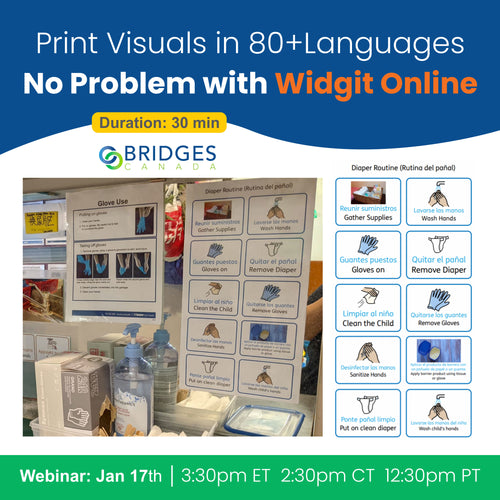
Duration: 45 mins
Presenter:
Rebecca Lynch, Leanne Husk
Direct from the UK, Rebecca Lynch from Widgit shares insights, tips, tricks and stories for the super easy, web-based, symbol resource creator, Widgit Online.
- implementing diversity, equity and inclusion
- Supporting curriculum learning
- Making and sharing with the top 3 templates
Used not just in schools but in wayfinding, signage and healthcare, Rebecca will share how to create materials with Widgit symbols for engaging and clear communication and learning for all.
Watch Recording

Rebecca Lynch
Symbol and Education Specialist | Widgit Software
Rebecca is a qualified primary school teacher with over 14 years’ experience. She worked for 10 years in mainstream and 4 years as primary and communication lead at an autism specialist setting for 4 – 19-year-olds. This is where she discovered Widgit Symbols and the power that they have to open up a world of communication.
In her role at Widgit, Rebecca endeavours to create high quality resources which aid communication, understanding, and curriculum, as well as supporting school staff and parents through training sessions.
Presenter: Emily Anctil-Lamarre
Rejoignez-nous pour un webinar passionnant sur les nouvelles fonctionnalités de Widgit Online !
Découvrez comment utiliser l’interface en français, créer des documents de symboles personnalisés, et explorer plus de 70 modèles disponibles. Nous vous montrerons comment créer facilement des cartes de communication, des histoires, des jeux éducatifs, et bien plus encore.
Apprenez à utiliser la synthèse vocale de haute qualité et à partager vos créations avec vos proches.
Que vous travailliez sur PC, Mac ou Chromebook, Widgit Online vous offre une expérience conviviale et entièrement bilingue. Inscrivez-vous maintenant pour découvrir toutes ces nouveautés.
Regarder l'enregistrement
Multisensory
Duration: 45mins
Presenter: Leanne Husk
Evidence-based studies and real-world classroom observations are showing that sensory experiences make a measurable impact. By supporting students in processing sensory input, we help them regulate emotions, build communication and social skills, explore safely and confidently, connect with their environment, and develop the resilience needed for everyday challenges.
Join us for a FREE 30-minute webinar where we’ll explore practical strategies and tools to support rich, purposeful sensory learning. Discover how to create engaging, inclusive environments that benefit all learners (and learning!) through:
- An introduction to multisensory spaces and their impact on learning
- Enhancing sensory engagement for diverse learning needs
- Linking sensory strategies to academic, alternative, and personal learning goals
- Utilizing a variety of sensory tools and software, including Inclusive Stories from HelpKidzLearn
Presenter: Victor Lajeunesse, Leanne Husk
Duration: 30 mins
Bridges is thrilled to announce the launch of Luminea interactive sensory tools!
Sensory spaces have undeniably proven to be one of the most effective ways of supporting individuals who struggle with sensory integration, regulation and a variety of physical, mental and cognitive challenges, supporting choice making, sensory stimulation, communication, self-regulation, anxiety control, turn taking and more.
While multisensory experiences can be incredibly helpful for individuals with complex challenges, sensory room equipment is often not accessible.
With Luminea participants are no longer passive end users but can interact, control, even customize sensory environments with switches, eye gaze, virtually any alternative access.
The turnkey, plug-and-play Luminea corners make it easy to create fully accessible sensory environments in minutes.
Join us for an up-close look at all that Luminea has to offer, and how easy it is to add interactive sensory experiences to your space!
A well-designed multisensory space engages users with comprehensive and impactful experiences that are both regulated and controllable. But no one knows what an individual needs more than the individual themselves. That’s why Qinera ensured that their Luminea line of beautiful, impeccably fashioned sensory technology was accessible by design.
Join us to discover the multitude of ways that individuals of all abilities can control their multisensory experiences with Luminea. Incorporating a variety of popular access methods like switches, joysticks and eye gaze, we’ll explore fun and engaging elements and activities.
Duration: 25 mins
Presenter: Leanne Husk
Watch recordingMultisensory spaces deliver benefits from regulating anxiety to fostering communication for a range of settings.
Join us as we explore six key benefits of multisensory experiences, enhancing the development of important skills and strategies essential for well-being.
In just 25 minutes we’ll show you how fully accessible Luminea elements can meet the needs of every user.
Duration: 25 mins
Presenter: Leanne Husk
Watch recordingDuration: 40 mins
Presenter: Leanne Husk
Combining real-world, sensory experiences with curricular goals is a proven instructional strategy.
But connecting real life experiences that reflect and reinforce learning for children with complex learning challenges – cognitive, communication, physical access – can be extremely difficult.
In this Bridges Break, we’ll look at an array of tools that connect sensory, physical experiences with instruction to achieve truly engaging classroom instruction:
- debug’d Coding for cooperative STEM learning with popular fun coding robots.
- Inclusive Stories that explicitly connect classroom sensory tools to curricular and important social narratives and activities, accessible to all students.
- Sensory tools for the classroom: light, vibration, audio and physical interactions to make student learning broaden into engaging opportunities.
Join us for a quick 30 minutes of real classroom stories, tips and tricks and the latest in assistive tech and apps.
Watch RecordingSTEM
Discover debug’d: Inclusive STEM in Action!
Duration: 30 mins
Presenter: Bogdan Pospielovsky
Join us for an engaging webinar where teachers who have used Debug’d will share their experiences bringing accessible coding to their classrooms. Plus, hear from a university that used debug’d to teach educators about Universal Design for Learning (UDL).
Debug’d coding kits are uniquely designed for ALL learners, including those with physical, cognitive, and communication challenges. Learn how it supports explicit coding instruction with real-world skills and student creativity while reinforcing literacy, math, collaboratively.
Be inspired by fellow educators in bringing UDL, and truly inclusive coding for all into your classroom.
Presenter: Leanne Husk
Duration: 30 mins
Learn how debug’d supported coding instruction in special and general education classrooms in an Ontario school district.
Coding is increasingly being included in classroom instruction. However, its role in teaching daily-living skills and cultivating essential soft skills, so vital for independence, is under-recognized.
Students with language, learning, or cognitive difficulties are often unable to participate actively or meaningfully in classroom coding activities; yet these students often have the most to gain.
In this session you’ll see how using a UDL approach and co-design with educators, clinicians and students ensured success for everyone.
Presenter: Leanne Husk
Duration: 25 mins
New school year. New curricular expectations.
As coding continues to become more and more embedded into the fabric of learning, we want to help support our educators, so they feel confident about bringing these important new learning opportunities to ALL their students!
Whether you’re new to coding or a seasoned expert, debug’d ensures educators can not only cover the expectations, but that EVERY student in their classroom, regardless of ability, can meaningfully engage, participate and have FUN while learning to code (and coding to learn!).
With 4 kits to choose from, debug’d now includes one that allows students to become inventors and creators!
Take a break and join us to discover how easy it can be with our UDL designed coding curricula, debug’d!
Blind/Low Vision
Monarch: Bridging the Educational Gap for Braille Learners
Duration: 45mins
Presenter: Victor Lajeunesse
We know that timely access to tactile information is critical to academic and workplace success for blind students. But the inherent challenges of braille printing limits its use: printing educational material is costly and time consuming; tactile STEM graphics are rare; braille textbooks are prohibitively cumbersome – a single chapter can be too big for a locker let alone a backpack. Join us to learn how Monarch, the breakthrough braille reading and learning tool, changes all of that:
- Learners or professionals can have instant access to whole books in braille.
- A multi-line dynamic tactile display for braille and graphics - graphs, pictures and diagrams via APH’s Tactile Graphics Library - delivers an alternative to unwieldly printed braille books.
- Built-in learning tools - graphing calculator, e-book reader, brailler – makes for a complete learning and information access tool for braille learners and the braille literate alike.
Blind students rightfully need and deserve faster and more equitable access to educational materials. The Monarch can bridge the existing educational gap for all blind students from primary to post-secondary and beyond
Watch RecordingDuration: 60mins
Presenters: Yasmina Alighardashi
Start the school year off with colourful clicks!
Join us on a tour led by the Clevy team of bold, easy-to-use keyboards and mice designed to make learning and productivity easier for young learners and those with access challenges.Discover how these tools support motor development, reduce input errors, and can bring joy to learning and communication.
Teachers, OT’s, assistive tech specialist’s, join us to plug-in to playful possibilities of thoughtful layouts, unique keyguards and considered design.Plus, attendees can enter a draw to win their own Clevy mouse.
Description Explore tools for teaching the music braille code with Laura Zierer, APH’s Education and Arts Product Manager.
Laura will introduce classroom-ready music instruction tools for students who are blind or low vision. Including:
- Feel the Beat introduces braille readers to braille music at the same time that their sighted peers begin reading music in print - usually around third or fourth grade.
- Music Braille Wheel: Quickly identify music braille notes and their print counterpart – an ideal resource for any student, instructor, or parent, who is not familiar with the music braille code.
Duration: 1 hour
Presenters:
Laura Zierer
Education and Arts Product Manager | American Printing House for the Blind (APH)
Laura is the Education and Arts Product Manager at American Printing House for the Blind. She has developed products relating to independent living, orientation and mobility, English language arts, and the Music Braille Code. Laura holds a master’s degree in Educational Psychology from the University of Northern Colorado.
An all-in-one solution that wirelessly connects directly to an iPad, the MagniLink WifiCam delivers outstanding image quality for reading and distance, combined with an iPad -- engaging even reluctant students.
Join Kimberly Cline from LVI as she takes us on a deep dive of the smart features in the hardware and the included MagniLink Viewer app.
- Full control over magnification, artificial colors, image splitting, guiding lines, OCR, image storing, video recording and more.
- Easy setup – download the app, pair the MagniLink WifiCam and you’re good to go.
- A flexible camera arm and integrated iPad stand.
- The MagniWifi, an external box for connecting an iPad to MagniLink cameras you already have.
Whether your students are already using iPads for a vision enhancement solution or you’re looking for a mobile, portable classroom viewer, join us to discover the power of the MagniLink WifiCam.
Duration: 1 hour
Presenters: Kimberly Cline, Victor Lajeunesse
Please join Tristan Pierce, product manager with APH, to explore ways students can make sense of the world when they cannot gather information visually or haptically. She will share information about this group of learners and information on products from APH to engage them.
Duration: 1 hour
Presenter: Tristan Pierce, Victor Lajeunesse
Watch RecordingJoin APH’s Science & Health Product Manager, Dr. Rosanne Hoffmann, to learn about three APH (American Printing House for the Blind) STEM kits:
- Build-A-Cell,
- the DNA-RNA Kit,
- and the Protein Synthesis Kit.
Duration: 1 hour
Presenter: Victor Lajeunesse, Rosanne Hoffman (APH), Jim Sullivan (APH), Lara Kirwan (APH)
Watch recordingLearning concepts through art activities is at every student’s fingertips. The audience will learn to think outside the box on ways to use tactile-drawing products to make concepts come to life for visually impaired students. Karen will explore meaningful, engaging, and creative ways to teach a variety of concepts to tactile learners.
Duration: 1 hour
Presenter: Victor Lajeunesse, Karen J Poppe (APH)
Watch recordingHosted by Kimberly Cline, LVI’s Director of Sales for North America, this webinar will review the features of the MagniLink S, including near and distance viewing, the optional text-to-speech, and many other features that will help enrich your student’s learning by providing easy and efficient access their materials.
Duration: 25 mins
Presenter: Victor Lajeunesse, Kimberly Cline (Director of Sales NA, LVI)
Watch recordingDuration: 60 mins
Presenter: Tristan Pierce of APH
Learners with complex learning needs including a visual impairment, present unique challenges for educators.
But even learners who are minimally responsive and/or have defensive reactions to sensory input can develop their communication skills with the right supports.
Join Tristan Pierce from APH as she introduces three innovative products that form APH's comprehensive continuum of communication solutions for complex learners with visual impairments.
In this session, Tristan will explore for whom these solutions are designed for, their progression across different learning levels, and instructional strategies for professionals.
Tristan Pierce
Product Manager | American Printing House for the Blind (APH)
Tristan Pierce has 40 years of experience working in educational publishing, the last 22 years at the American Printing House for the Blind (APH). Her job as Product Manager focuses on multiple disabilities and physical education.
Designing products for learners with multiple disabilities requires knowledge of many diagnostic conditions. Tristan collaborates with specialists who have education and experience in specific areas of special education. Using this team approach, Tristan has guided many products from concept to production.
AAC
Grid offers access to AAC for language, learning, and literacy activities, which can be used to set up a classroom environment with consistent access to familiar vocabulary for communication and interaction. Grid can also be leveraged to create added supports for instructional activities.
In this talk we will explore:
- Ways that Grid can be used to support multi-modal communication and language-rich environments for learners
- Tools within Grid to support AAC users in school.
- The ease of personalizing Grid for the needs of the individual.
The goal is for attendees to come away not only with an understanding of Grid, but practical strategies they can immediately put to use.
Duration: 45mins
Presenter: Melanie Gylling
With an intuitive design, and a focus on user-friendliness, Mind Express is a powerful and versatile communication software for thousands of users worldwide. In this webinar, Ian Foulger, AAC Manager at Jabbla UK, will explore the features of Mind Express 5 that make it so unique and time saving programming tips, too. Including:
- ME’s profiles: Individualize profiles contain all the end users preferences and settings and saves them in one place.
- Adapting pagesets, customising photos, importing files, re-using pages, translating symbol sets… it has never been easier through the new intuitive touch screen friendly interface.
- Extensive vocabulary set options.
- Expanded grammar functions and prediction has enormously evolved to a whole new level of accuracy, in French and English.
- Easily search for word or concept in your communication board
- Translating pagesets to Arabic, Chinese, Greek, Polish, Ukrainian, Turkish and many other languages
- Disney+, Facebook, Instagram, Netflix, Spotify and TikTok integrations that allow you to connect social media straight into Mind Express.
Join Ian Foulger of Jabbla to learn how in Mind Express everything starts with the user.
Duration: 30 mins
Presenters: Ian Foulger, Nada Jorna, Leanne Husk
Jabbla’s Allora 3’s simplicity as a text based AAC device conceals a sophisticated thoughtful design and advanced engineering. Join us as Ian Foulger of Jabbla takes a deep dive into the Allora 3.
- Easy programming of abbreviation expansion
- Touch screen: Select a prediction directly by touching the screen or via keyboard
- Bluetooth smart phone connectivity
- Bilingual French and English out of the box
- Powerful multi-lingual options including translation, make it ideal for travel and multi-cultural environments
- Ingenious multi-function keyguards
Learn how the Allora delivers its legendary reliability, and intuitive clear communication in English, French and other languages.
Duration: 1 hour
Presenters: Ian Foulger
The new Mind Express 5 has combined the power of Mind Express 4 with an interface that puts user experience at its forefront. Whether you are a new or an experienced user, Mind Express 5 can be set up and ready to use within minutes with:
- Ready-made page sets and templates
- Simple user portal with easily accessible essentials
- Improved customization (remote editing available)
- Online library of resources
- and more
Join us for an exclusive online session with Claire and Mathilde from Jabbla to learn more about the new Mind Express 5.
Duration: 60 mins.
Nous sommes ravis de vous présenter les ressources papiers et électroniques PODD français.
Animatrices: Mathilde Suc-Mella, PODD formatrice certifiée, et Mathilde Mathys, Account Manager chez Jabbla.
Pendant le webinaire, les deux Mathildes montreront comment accéder, personnaliser et utiliser les ensembles de pages PODD dans Mind Express.
Mathilde SUC-MELLA
Enseignante de formation, elle s’est professionnalisée dans le champ de la Communication alternative et améliorée (CAA) après l’avoir expérimenté de première main avec son fils aîné, porteur d’un Syndrome d’Angelman. Après le diagnostic de son fils aîné en 2009, elle a suivi de nombreuses formations, principalement à l’étranger, auprès d’experts reconnus internationalement. Elle s’est spécialisée dans l’approche PODD, qui existe depuis de nombreuses années, mais qui n’est connue que depuis peu en France. Mathilde SUC-MELLA s’est formée à plusieurs reprises auprès de son inventrice australienne Gayle PORTER et est la première formatrice PODD certifiée en France, habilitée à délivrer les formations PODD en français. Elle s’est vue confier l’adaptation des ressources PODD en langue française.
Mathilde Mathys
Account Manager chez Jabbla. Elle a étudié les langues romanes à la VUB (Vrije Universiteit Brussel), où l’accent était mis sur la linguistique et la littérature françaises et espagnoles. Active depuis 12 ans chez Jabbla, une société qui développe des solutions spécialisées dans le domaine de la CAA, entre autres le logiciel de communication Mind Express, elle s’occupe du marché
Le 6 mai à 9h30 HAE
La durée 1h
Presenter: Kim Mitchell
Duration: 22 mins
Stories, games, jokes, science experiments, songs – yes one button can do so much. Single message communication aids are gateways to participation and genuine engagement in the classroom… in life!
In 22 minutes, learn how to get the most out of these amazing and underrated workhorses of AT: Step-by-Steps, Big Mac’s, Choice.
Duration: 45 mins
Presenters: Michael Hull (Abilia), Sara Säterstam (Abilia), Nada Jorna, Iain Wallace
Experience the revolutionary LightWriter SL50. Embark on a journey to rediscover the LightWriter as we unveil its stunning redesign. It's time to fall in love with this innovative device all over again.
Unveil the remarkable features of the LightWriter SL50, including:
- Lighter! Shedding over 100 grams compared to the SL40.
- Illuminated Keys and Screen: Perfect for low-light and dark environments.
- Enhanced Menu Structure.
- Bluetooth Connectivity: for phone calls and text messaging.
- Built-in 1 or 2 Switch Scanning.
- Comprehensive Keyguard Selection: Offering three different options.
- Hassle-Free Backup: Easily back up your data to USB.
Join us for an exclusive online session hosted by Sara, representing the manufacturer Abilia, in collaboration with Bridges. Dive deeper into the exciting world of the new LightWriter SL50 and unlock its potential for enhanced communication.
In addition, we are thrilled to have Michael from Abilia tech support join us during the webinar. He will be available in the chat to address all your inquiries/support questions and share invaluable tips for optimizing the LightWriter SL50's capabilities.
Presenter: Gil Roth
Everyone deserves the opportunity to fully engage in the digital world. For AAC users, who often face barriers to social interaction, online platforms offer invaluable possibilities—yet many remain just out of reach.
Join-In changes that. By seamlessly integrating accessibility layers into popular apps and websites, Join-In empowers AAC users to navigate the digital space with confidence. It provides a consistent, user-friendly interface that adapts to various access methods and literacy levels. The latest updates to Join-In help users gradually build their digital skills, focusing on what matters most to them at each stage.
Join-In supports a wide range of apps, including:
- Social Media: Instagram, Facebook, Messenger, TikTok, WhatsApp
- Streaming: Netflix, Spotify, YouTube, YouTube Kids
- Productivity: Gmail, Google Meet
- Gaming: A variety of games for kids and adults
In this webinar, Gil from d-bur, the company behind Join-In, will share user stories of how Join-In has improved communication and quality of life for AAC users around the world. He will also introduce the latest Join-In developments.
Join us to learn about Join-In and how it can transform your digital experience.
Gil Roth
Co-CEO | d-bur
Dr. Gil Roth is the Co-CEO of d-bur, a company dedicated to enhancing digital accessibility for AAC users and individuals with complex disabilities. d-bur’s flagship product, Join-In, is an innovative solution designed to provide seamless access to popular apps and websites, including WhatsApp, Facebook, YouTube, Google Photos, Instagram, and more. Dr. Roth, who earned a Ph.D. in Operations Research from the Technion, joined d-bur in 2015. Prior to this role, he held VP and EVP positions at various public and private software companies.
Presenters

Susie Blackstein-Adler
Professional Development Leader @Bridges
Susie leads the professional learning team at Bridges. She has backgrounds in occupational therapy and education and has over thirty years of experience working in the field of augmentative and alternative communication and consulting to classroom teams concerning access to curriculum. She has done research on computer access, the inclusion of students who have complex learning challenges, and accessible coding. Susie provides professional learning on educational and assistive technology both nationally and internationally.

Christy McDonald
Manager of Professional Learning @Bridges
Christy McDonald is an educator, and curricular and assistive technology consultant, supporting people with diverse learning needs and those supporting them. She leads the curriculum support team at Bridges Canada and delivers professional development for educators who are implementing educational curricula for students with complex needs. She has developed a series of on-line courses to support teachers and parents in supporting the use of AT features in reading and writing. Christy is part of the Bridges coding team, developing accessible coding experiences for ALL students, using a UDL approach.

Leanne Husk
Product Manager @Bridges
Leanne Husk has a background as an educator for students who have complex needs and has certification as a Learning Disabilities Specialist. As a lead instructor for Bridges, she designs and leads workshops and works directly with students and teachers to help them create and implement dynamic and inclusive learning experiences with technology across the curriculum. Leanne first experienced the need for scaffolded instruction and adapted materials when introducing coding to normally developing students. These experiences have been invaluable as she works, in collaboration with OCAD University, supporting Bridges' current initiative - creating inclusive and accessible coding experiences for ALL.

Kim Mitchell
Assistive Technology Support Specialist @Bridges
Kim has been in the field of assistive technology for 30+ years supporting people with diverse needs using tools such as eye gaze access, augmentative communication systems, tools to support blind and low vision and more. She is certified in many of these tools. Kim has presented in person and virtually to groups nationally and internationally. She is passionate about helping people meet their full potential using technology, both high and low tech, to communicate and participate in all aspects of life.

Emily Anctil-Lamarre
Gestionnaire de compte, Québec et provinces de l’Atlantique | Bridges Canada
Emily est gestionnaire de compte pour le Québec, les provinces de l'Atlantique et les clients francophones de l'Ontario chez Bridges. Titulaire d'une maîtrise en orthophonie de l'Université de Montréal, elle a travaillé dans des institutions renommées comme l'IUGM et l'Hôpital Général de Montréal. Elle a également acquis une expertise technologique chez Shopify, en tant que spécialiste produit pour les commerçants francophones. Emily parle couramment le français, l'anglais, l'espagnol et le portugais, et s'engage à améliorer l'accessibilité pour les personnes ayant des défis de communication. Elle est enthousiaste à l'idée de collaborer avec divers partenaires pour promouvoir les solutions de Bridges.

Lily Daquila
Account Manager @Bridges
Lily Daquila is lifelong learner, knowledge seeker, and adventurer enthusiast. With a background in speech-language pathology and audiology, as well as education, she is a dedicated advocate for holistic communication, equitable education, and adapted accessibility. With over 20 years of experience in the field of neurodiversity, she has developed and delivered differentiated programs for financial literacy, language literacy, and independent living skills throughout Ontario. As part of the Professional Learning team at Bridges, Lily has worked with hundreds of students in their use assistive technology and augmentative and alternative communication. Currently serving as the Ontario Account Manager, Lily continues to champion inclusive practices, universal design, and meaningful communication with tireless enthusiasm.
- Choosing a selection results in a full page refresh.
Contact us
1-800-353-1107
info@bridges-canada.com
2123 McCowan Road
Scarborough, Ontario M1S 3Y6
Keep in Touch
Sign up for our newsletter and be the first to know about coupons and special promotions.
© 2025, Bridges Canada Powered by Shopify